
(Document Tutorial) How to Export Parcel Selections to a CSV file, Shapefile, or XLSX file on the Map Viewer
How to Export Parcel Selections to a CSV file, Shapefile, or XLSX file on the Public Interactive Map Viewer (and Run a Report for Mailing Labels for Parcel Queries)
- The public map viewer has the capability of exporting search results of interest into multiple formats. Current limit is a maximum of 2,000 records. Please do not exceed this limit or the map viewer may lock-up and stop functioning. You can also fill out an online data request form for a countywide dataset (260,000+ records).
Right-click to open in another web browser tab: https://mcgis.mohave.gov/html5/?viewer=moh
Example search query: Select all parcels in Township 40N Range 15W and export to a shapefile. - Upper right-hand corner: Search… field: enter (without quotes) ‘40n 15w’ and hit <Enter>.

- Left-hand pane: wait for a return of Search Results, then left-click on the on the ellipsis/series of 3
dots icon of the specific result. In this case, choose Parcel Query.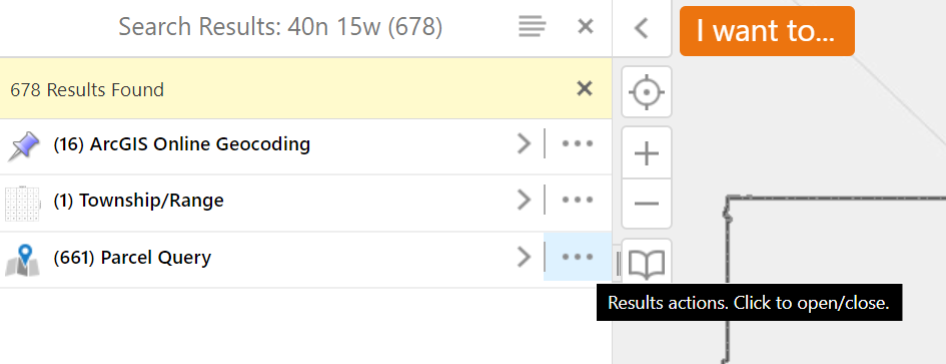
- Choose the desired export file format. In this example, (scroll down and) choose Export to
Shapefile.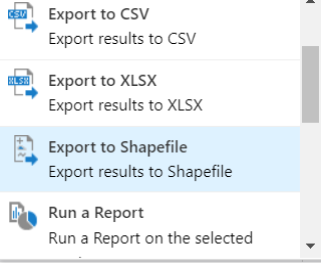
- Click OK to confirm download of the extracted file (in this example, a .zip) to a desired location on
your computer. Renaming of this file is optional.
Select Multiple Records Using the Identify Tool:
- If not visible, upper right-hand corner click on Tools icon to make the Toolbar appear.

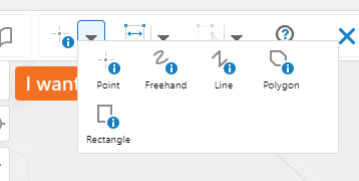
- Above the ‘I want to…’ button, click on the Down Arrow next to the Point Identify Tool and select an identify tool. In this example, we will use the Freehand Identify Tool:
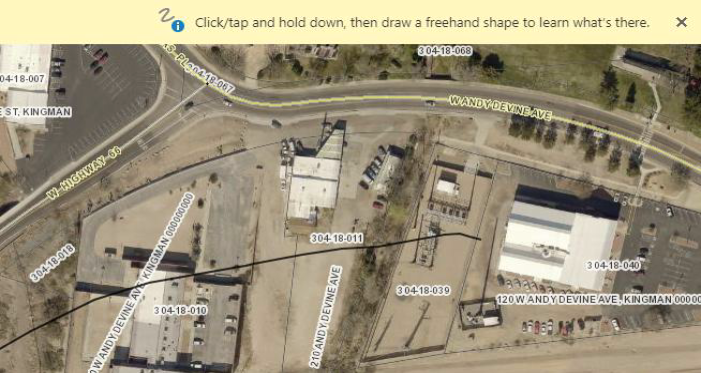
- Zoom in to an area of interest. Left-click and drag to select parcels:
- Left-click on the Panel Actions Menu/4 bars icon, choose an export file format or run a report for mailing labels, then save to a location on your computer.
- Questions? Please contact:
Steve Engle
GIS Coordinator
(928) 753-0740